
Download Video Summarizer AI – Fast, Free, Secure YouTube Summarizer Tool
Overview
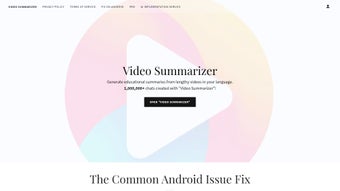
Video Summarizer AI is a cutting‑edge, web‑based application that harnesses artificial intelligence to turn lengthy YouTube videos into concise, easy‑to‑read summaries. Tailored for educational and informative content, the tool automatically extracts the most relevant points, rewrites them in clear language, and even translates the output into the user’s primary language. This language‑sensitive approach helps learners retain key insights without spending hours watching full‑length videos.
Accessible through a dedicated sub‑domain on OpenAI, the platform offers a sleek, interactive interface that encourages engagement—evidenced by a high volume of initiated chats. Privacy is taken seriously: all user data is encrypted, and the service complies with strict privacy policies, guaranteeing a secure experience. While the core summarizing function is free, optional account creation lets you save preferences, track past summaries, and receive personalized updates.
Whether you’re a student, researcher, or casual viewer, Video Summarizer AI delivers a fast, reliable, and free solution for extracting knowledge from the world’s biggest video repository.
Key Features & What Sets It Apart
- AI‑Powered Summarization: Uses state‑of‑the‑art natural language processing models to identify and condense the most important segments of a YouTube video.
- Language‑Sensitive Output: Automatically detects the viewer’s language settings and delivers the summary in the same language, supporting over 30 major languages.
- One‑Click Summarize: Paste a YouTube URL and receive a ready‑to‑read summary in seconds—no manual editing required.
- Secure Cloud Processing: All video data is processed on encrypted servers; no video files are stored after the summarization is complete.
- Free Core Service: The basic summarization feature is completely free, with optional premium upgrades for batch processing and API access.
- Account Dashboard: Registered users can save past summaries, set language preferences, and receive email notifications when new features are released.
- Responsive Design: Works flawlessly on desktops, tablets, and mobile browsers (Android, iOS, Windows, macOS).
- Privacy‑First Policy: No third‑party trackers; GDPR‑compliant data handling ensures your browsing remains private.
- Continuous Updates: The AI model is updated monthly to improve accuracy, incorporate new languages, and adapt to evolving YouTube content formats.
Installation, Usage Instructions & Compatibility
Getting Started – No Download Required
Video Summarizer AI is a pure web app, so there’s no need to download a traditional installer. Simply open your preferred browser (Chrome, Edge, Firefox, Safari) and navigate to https://video-summarizer.openai.com. The site loads instantly thanks to lightweight front‑end code, making it ideal for both high‑speed broadband and modest mobile connections.
Step‑by‑Step Summarization Process
- Copy the YouTube URL: Find the video you want to summarize and copy its link from the address bar.
- Paste & Submit: Paste the link into the input field on the home page and click “Summarize”.
- Choose Language (Optional): If you prefer a different language than your browser default, select it from the dropdown menu.
- Wait a Few Seconds: The AI processes the audio transcript, extracts key points, and rewrites them in natural language.
- Review & Save: The summary appears in a scrollable pane. Logged‑in users can click “Save to Dashboard” for later reference.
Creating an Account – Optional but Handy
While you can use the tool anonymously, creating a free account unlocks the following perks: a personal summary library, custom language presets, and notification of upcoming updates. Registration requires only an email address and a password; two‑factor authentication is available for extra security.
System Compatibility
Because Video Summarizer AI runs entirely in the browser, it is compatible with virtually any operating system that supports modern web standards. This includes:
- Windows 10/11 (Edge, Chrome, Firefox)
- macOS Monterey and later (Safari, Chrome, Firefox)
- Linux distributions with a recent kernel (Chrome, Firefox)
- Android 8.0+ (Chrome, Firefox, native WebView)
- iOS 13+ (Safari, Chrome)
Updating the Service
As a SaaS (Software as a Service) platform, Video Summarizer AI updates automatically on the server side. Users never need to download patches; new AI models, security patches, and UI enhancements are rolled out silently. You’ll notice improvements the next time you refresh the page.
Pros, Cons & Frequently Asked Questions
Pros
- Free core functionality – no hidden fees.
- AI summarization is fast (typically under 10 seconds per video).
- Multi‑language support enhances accessibility.
- Zero‑install, works on any device with a modern browser.
- Strong privacy stance – no data retained after processing.
Cons
- Summaries may omit nuanced details from highly technical videos.
- Batch processing requires a paid plan.
- Dependence on YouTube’s transcript availability – videos without captions may produce less accurate summaries.
FAQ – Your Questions Answered
Is Video Summarizer AI really free?
Yes, the core summarization feature is completely free. Premium options, such as batch processing and API access, are optional and billed monthly.
Can I summarize videos that are not on YouTube?
Currently the service is optimized for YouTube URLs because YouTube provides reliable transcript data. Future updates may add support for Vimeo and other platforms.
How does the tool handle copyrighted material?
The AI processes only publicly available transcripts and never stores the original video. Summaries are generated as short, transformed text, which falls under fair‑use guidelines for educational purposes.
Is my data safe when I create an account?
Yes. All account information is encrypted at rest and in transit. The platform adheres to GDPR and does not sell or share personal data with third parties.
What browsers are supported?
Any modern browser that supports HTML5 and JavaScript—Chrome, Edge, Firefox, Safari, and Chromium‑based browsers on Android and iOS.
Conclusion & Call to Action
In an age where video dominates online learning, Video Summarizer AI stands out as a practical, free, and secure solution for turning long‑form YouTube content into bite‑size knowledge. Its AI‑driven engine delivers accurate summaries within seconds, while multi‑language support breaks down language barriers for global audiences. Because it runs entirely in the browser, there’s no installation hassle, no costly licenses, and no risk of outdated software—updates happen automatically on the server side. Whether you’re a university student needing quick lecture recaps, a marketer extracting key points from industry webinars, or a lifelong learner looking to stay informed without the time sink, this tool fits seamlessly into any workflow.
Ready to experience faster learning? Visit Video Summarizer AI now, paste a YouTube link, and see how much time you can save. For power users, consider creating a free account to keep your favorite summaries organized and receive notifications about new features and language expansions. Upgrade to the premium plan when you need batch processing or API integration for team projects. Downloading is unnecessary—just open the web app, summarize, and start learning smarter today.



.png)



